Email to PDF
An account and payment are required for PDF-to-JPG, all other converters and Premium tools. No free Premium jobs.
Compare free and paid accessRender EML or MSG messages with safe inline content and an attachment manifest.
Archive an EML or MSG message as PDF. Choose the message and attachments, only the message body, or supported attachments without the covering message.
Unsupported attachments are listed by name rather than converted. Review the output and attachment manifest before treating it as a complete archive.
Sign in to start
Premium processing keeps every input and result scoped to your own account.
Log inNew to AlphaPDF? Create an account
What it does
Email to PDF turns saved email messages into PDF files. It reads EML files from most mail apps and MSG files from Outlook. You can keep the message together with its supported attachments, keep only the message body, or convert only the attachments. A manifest lists every attachment, including any that could not be converted.
When to use it
It helps when you need to keep a record of a conversation for a case file, an audit or a client folder, or when someone asks for an email as a document rather than a forwarded message.
How to use Email to PDF
- Sign in with an account that has Premium access.
- Upload .eml, .msg files. Each file can be up to 50 MB, with up to 25 files per batch.
- Review the available settings and choose a 1, 7 or 30-day retention period.
- Start the job, then download and check the result before its retention period ends.
Related conversion options
Before you start
Unsupported attachments are listed by name rather than converted. Review the output and attachment manifest before treating it as a complete archive.
Remote images in the message are not loaded, and unusual attachment types are named in the manifest instead of being converted.
Processing limits
Up to 50 MB per input; 25 files and 500 MB per batch. PDF limit: 2000 pages. Up to 2 active jobs per account. Output limit: 1000 MB. Renderer limits can reject especially large pages or images.
Example result
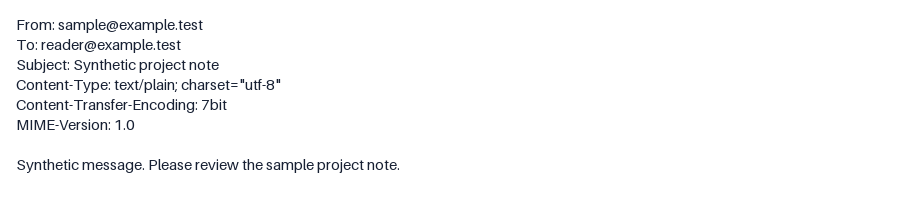
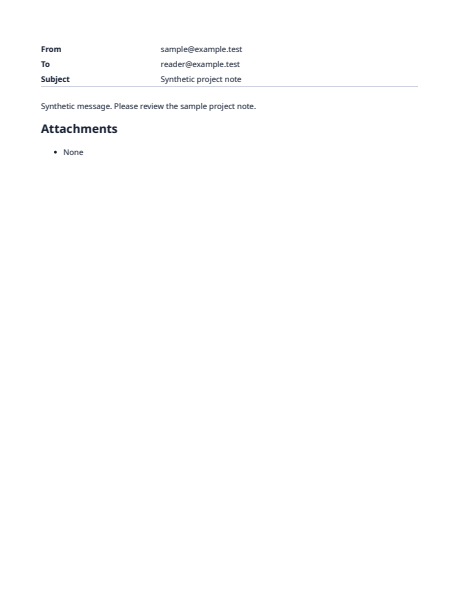
An email message converted to PDF.
Download example input · Download result
Example details & evidence
Real conversion of a synthetic EML message.
Examples use synthetic files, not customer documents. Generation notes and SHA-256 hashes.
Common questions
How do I get an EML or MSG file?
Most mail apps let you save or drag a message to your desktop. Outlook saves MSG files and most other apps save EML.
Are the sender and date shown?
Yes. The header with sender, recipients, subject and date is printed at the top of the message.
Can I convert a whole mailbox?
Upload messages as separate files. A mailbox export such as PST or MBOX is not supported.
Are attachments opened safely?
Only supported types are rendered. Everything else is listed by name without being run.