Extract tables
An account and payment are required for PDF-to-JPG, all other converters and Premium tools. No free Premium jobs.
Compare free and paid accessExport detected tables to Excel, CSV, or structured JSON.
Extract detected PDF tables as an Excel workbook, CSV files or structured JSON. Choose the output for analysis, spreadsheet import or a data-processing workflow.
Detection is not guaranteed on every layout. Compare row counts and key values to the PDF; CSV outputs arrive together in a ZIP archive.
Sign in to start
Premium processing keeps every input and result scoped to your own account.
Log inNew to AlphaPDF? Create an account
What it does
Extract tables finds the tables in a PDF and saves only those, leaving the rest of the page behind. You choose the output: an Excel workbook with a sheet per table, CSV files with one file per table in a ZIP, or a JSON file with every table as rows and cells.
When to use it
Pick it when the numbers are what matter, for example to load a price list into a database, analyse survey results or check an invoice against your own records.
How to use Extract tables
- Sign in with an account that has Premium access.
- Upload .pdf files. Each file can be up to 50 MB, with up to 25 files per batch.
- Review the available settings and choose a 1, 7 or 30-day retention period.
- Start the job, then download and check the result before its retention period ends.
Related conversion options
Before you start
Detection is not guaranteed on every layout. Compare row counts and key values to the PDF; CSV outputs arrive together in a ZIP archive.
Tables drawn without lines, or split across pages, may come out as several smaller tables. Always compare row counts with the PDF.
Processing limits
Up to 50 MB per input; 25 files and 500 MB per batch. PDF limit: 2000 pages. Up to 2 active jobs per account. Output limit: 1000 MB. Renderer limits can reject especially large pages or images.
Example result
The sample rows were not detected as a table. The JSON result contains no tables.
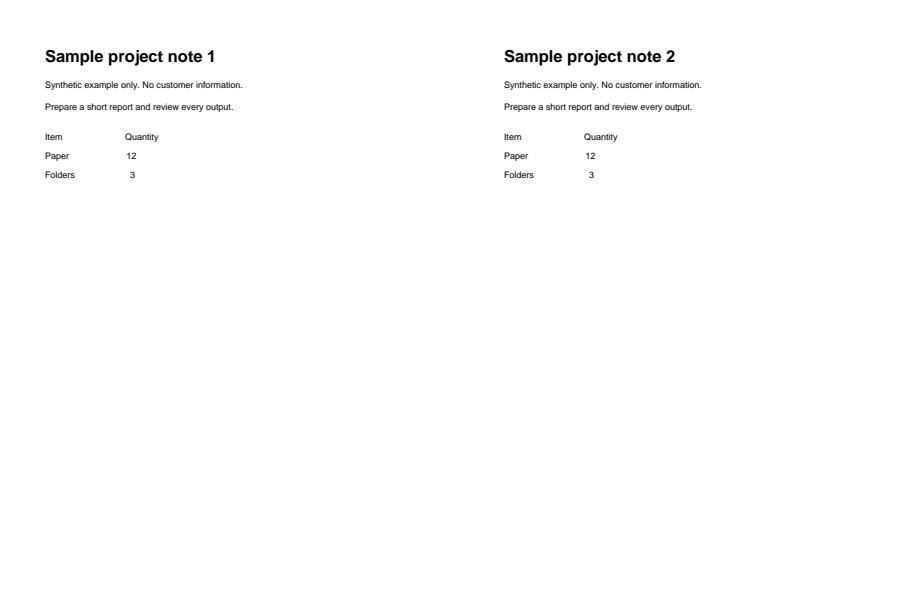

Download example input · Download result
Example details & evidence
Literal data/text view extracted from the real output, not an Office/browser layout screenshot. The unruled sample rows were not detected; the JSON tables array is empty.
Examples use synthetic files, not customer documents. Generation notes and SHA-256 hashes.
Common questions
Which output should I use?
Excel for reading and editing, CSV for imports, JSON for code and automated pipelines.
What happens if no table is found?
You still get a result, but it will say that no tables were detected.
Does it read scanned tables?
If a PDF has no text at all, it is run through OCR before tables are looked for. Check the figures closely, since scans are read less reliably.
Are headers kept?
The first row is kept as it appears. Rename columns after import if your system expects different names.