PDF to Markdown
An account and payment are required for PDF-to-JPG, all other converters and Premium tools. No free Premium jobs.
Compare free and paid accessExtract readable headings, paragraphs, and tables as Markdown.
Bring extracted headings, prose and tables into a Markdown editor or documentation workflow without copying the PDF page by page.
Markdown cannot preserve arbitrary page design. Check heading levels, reading order and table boundaries, especially on scans and multi-column documents.
Sign in to start
Premium processing keeps every input and result scoped to your own account.
Log inNew to AlphaPDF? Create an account
What it does
PDF to Markdown pulls the headings, paragraphs, lists and tables out of a PDF and writes them as a single Markdown file. Headings become # lines, lists stay as lists and simple tables become pipe tables. You can open the result in the built-in viewer, copy it, or download the .md file.
When to use it
It suits people who keep notes or documentation in Markdown: a README, a wiki, Obsidian, a static site or a docs repo. It is also a quick way to hand clean text to another tool that reads Markdown better than PDF.
How to use PDF to Markdown
- Sign in with an account that has Premium access.
- Upload .pdf file. Each file can be up to 50 MB.
- Review the available settings and choose a 1, 7 or 30-day retention period.
- Start the job, then download and check the result before its retention period ends.
Before you start
Markdown cannot preserve arbitrary page design. Check heading levels, reading order and table boundaries, especially on scans and multi-column documents.
Markdown has no idea of page layout, so columns, colours and exact spacing are gone. Headings sometimes land one level too high or too low.
Processing limits
Up to 50 MB per input; one input per job. PDF limit: 2000 pages. Up to 2 active jobs per account. Output limit: 1000 MB. Renderer limits can reject especially large pages or images.
Example result
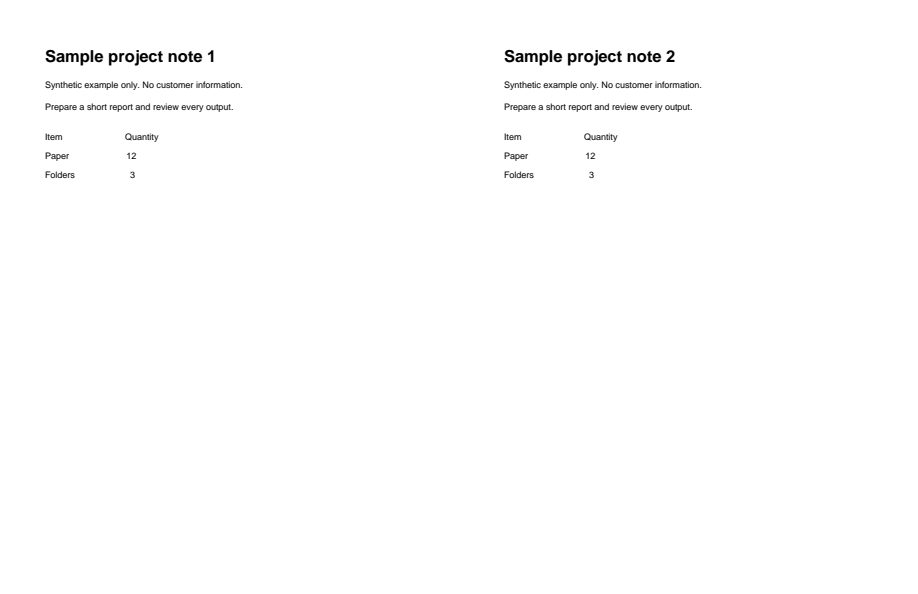
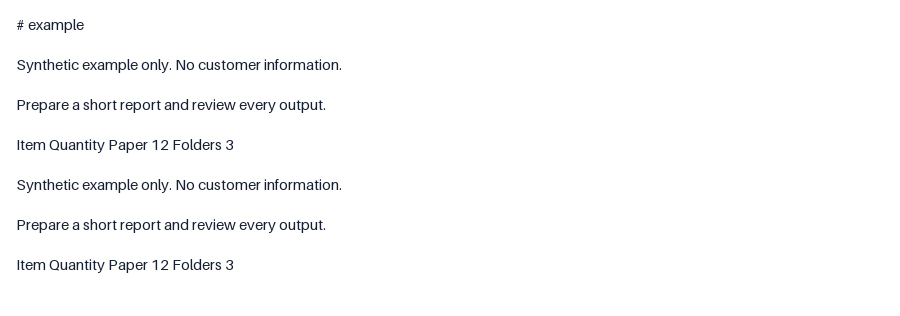
The headings are omitted and table-like rows become prose. Compare the output with the source.
Download example input · Download result
Example details & evidence
Text view of the actual Markdown output: the sample page headings are omitted and the table-like rows become prose. Review against the source.
Examples use synthetic files, not customer documents. Generation notes and SHA-256 hashes.
Common questions
Are images included?
No. Markdown output carries the text and tables. Pictures from the PDF are not written into the file.
Can I convert a scanned PDF?
A scan needs OCR first. Use Scanned PDF to Markdown with OCR for pages that are only images.
How are wide tables handled?
They are written as pipe tables. Very wide or nested tables can be hard to read in plain Markdown, so check them in a preview.
Can I upload more than one file?
This tool takes one PDF per job, which keeps each Markdown file tied to one source.