Verify PDF signature
An account and payment are required for PDF-to-JPG, all other converters and Premium tools. No free Premium jobs.
Compare free and paid accessInspect signature integrity, revision coverage, timestamps, and certificate trust.
The job runs privately and its inputs and results expire on the retention date you select.
Sign in to start
Premium processing keeps every input and result scoped to your own account.
Log inNew to AlphaPDF? Create an account
What it does
Verify PDF signature checks every digital signature in a PDF and writes a report. It tells you whether the signed content is unchanged, which revision each signature covers, what certificate was used and whether a timestamp is present.
When to use it
Use it on contracts and forms you receive before you rely on them, or when your reader shows a warning and you want to understand what it means.
How it works
- Read the offer, sign in and use an account with paid access
- Upload a supported file (or enter a public URL), choose options and retention
- Start the job, inspect every result and warning, then download the files you need
Before you start
Integrity and identity trust are different checks. Review trust and timestamp findings separately.
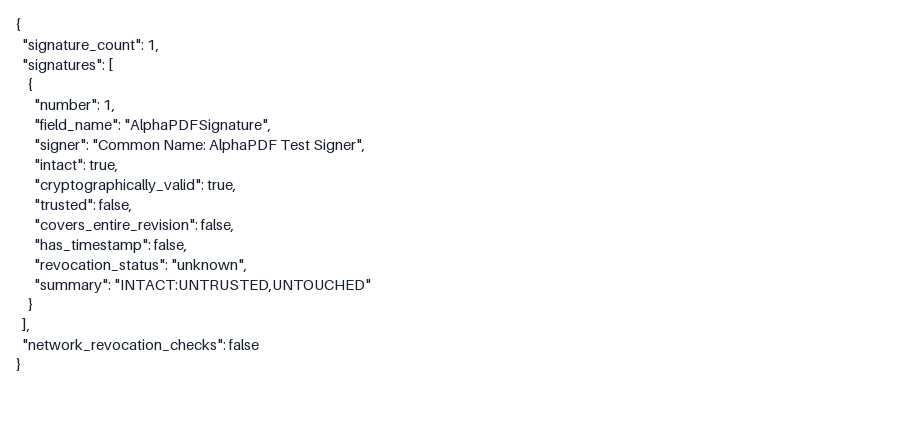
An intact signature shows the file has not changed. Whether the signer is who they claim to be is a separate question of certificate trust.
Processing limits
Up to 50 MB per input; 25 files and 500 MB per batch. PDF limit: 2000 pages. Up to 2 active jobs per account. Output limit: 1000 MB. Renderer limits can reject especially large pages or images.
Example result
One intact signature is reported, but its self-signed certificate is not trusted and has no timestamp.
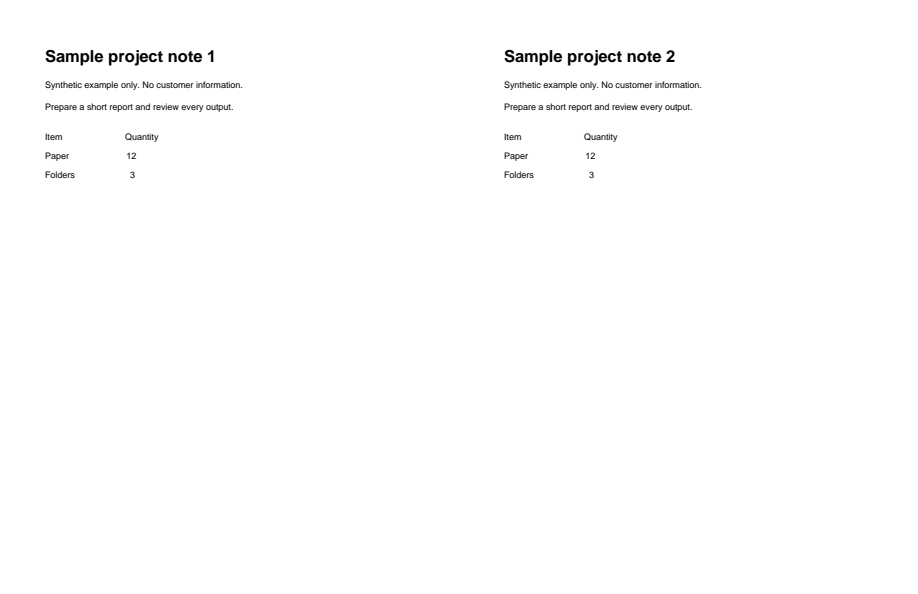
Download example input · Download result
Example details & evidence
Literal data/text view extracted from the real output, not an Office/browser layout screenshot. One intact, cryptographically valid signature is reported, with trusted=false and no timestamp. This synthetic certificate is self-signed.
Examples use synthetic files, not customer documents. Generation notes and SHA-256 hashes.
Common questions
What does revision coverage mean?
A PDF can be edited after it is signed. The report shows whether a signature covers the whole file or only an earlier version.
Does it change my file?
No. It only reads the PDF and produces a report.
Why is a valid signature marked untrusted?
The content checks out, but the certificate does not chain to an authority the check trusts.
Can it check several PDFs at once?
Yes. Upload a batch and each file gets its own report.