OCR text export
An account and payment are required for PDF-to-JPG, all other converters and Premium tools. No free Premium jobs.
Compare free and paid accessRecognize pages and export editable Word, Excel, Markdown, JSON, or text.
Recognize a scanned PDF or supported image and export Word, Excel, Markdown, JSON or plain text. Select an input/output pair below to open a preconfigured flow.
OCR is not a transcription guarantee. Proofread names, numbers and handwriting; Excel output depends on detectable tables rather than arbitrary page text.
Sign in to start
Premium processing keeps every input and result scoped to your own account.
Log inNew to AlphaPDF? Create an account
Output quality is under review. This tool is not currently recommended as a reason to purchase Pro. Check all output against the source.
What it does
OCR text export reads scanned PDFs and images and gives you the words in a format you can work with: a Word document, an Excel workbook, Markdown, JSON or plain text. Pick the input and output pair that matches your job and the settings are filled in for you.
When to use it
Use it when a scan is the only copy you have and you need to edit, analyse or reuse what it says, such as an old policy you have to update or a printed table you need in a spreadsheet.
How to use OCR text export
- Sign in with an account that has Premium access.
- Upload .pdf, .png, .jpg, .jpeg, .tif, .tiff files. Each file can be up to 50 MB, with up to 25 files per batch.
- Select the recognition languages and scan cleanup options. Review the available settings and choose a 1, 7 or 30-day retention period.
- Start the job, then download and check the result before its retention period ends.
Related conversion options
- Scanned PDF to Word with OCR
- Scanned PDF to Excel with OCR
- Scanned PDF to Markdown with OCR
- Scanned PDF to JSON with OCR
- Scanned PDF to text with OCR
- PNG to Word with OCR
- PNG to Excel with OCR
- PNG to Markdown with OCR
- PNG to JSON with OCR
- PNG to text with OCR
- JPG to Word with OCR
- JPG to Excel with OCR
- JPG to Markdown with OCR
- JPG to JSON with OCR
- JPG to text with OCR
- TIFF to Word with OCR
- TIFF to Excel with OCR
- TIFF to Markdown with OCR
- TIFF to JSON with OCR
- TIFF to text with OCR
Before you start
OCR is not a transcription guarantee. Proofread names, numbers and handwriting; Excel output depends on detectable tables rather than arbitrary page text.
Every OCR result needs a proofread. Names, amounts and dates are the details most worth checking.
Processing limits
Up to 50 MB per input; 25 files and 500 MB per batch. PDF limit: 2000 pages. Up to 2 active jobs per account. Output limit: 1000 MB. Renderer limits can reject especially large pages or images.
Example result
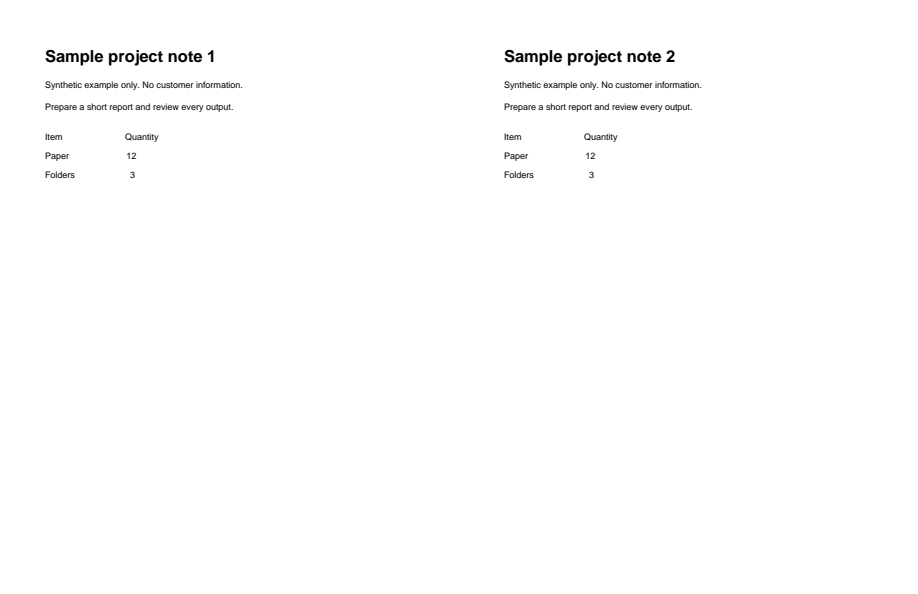
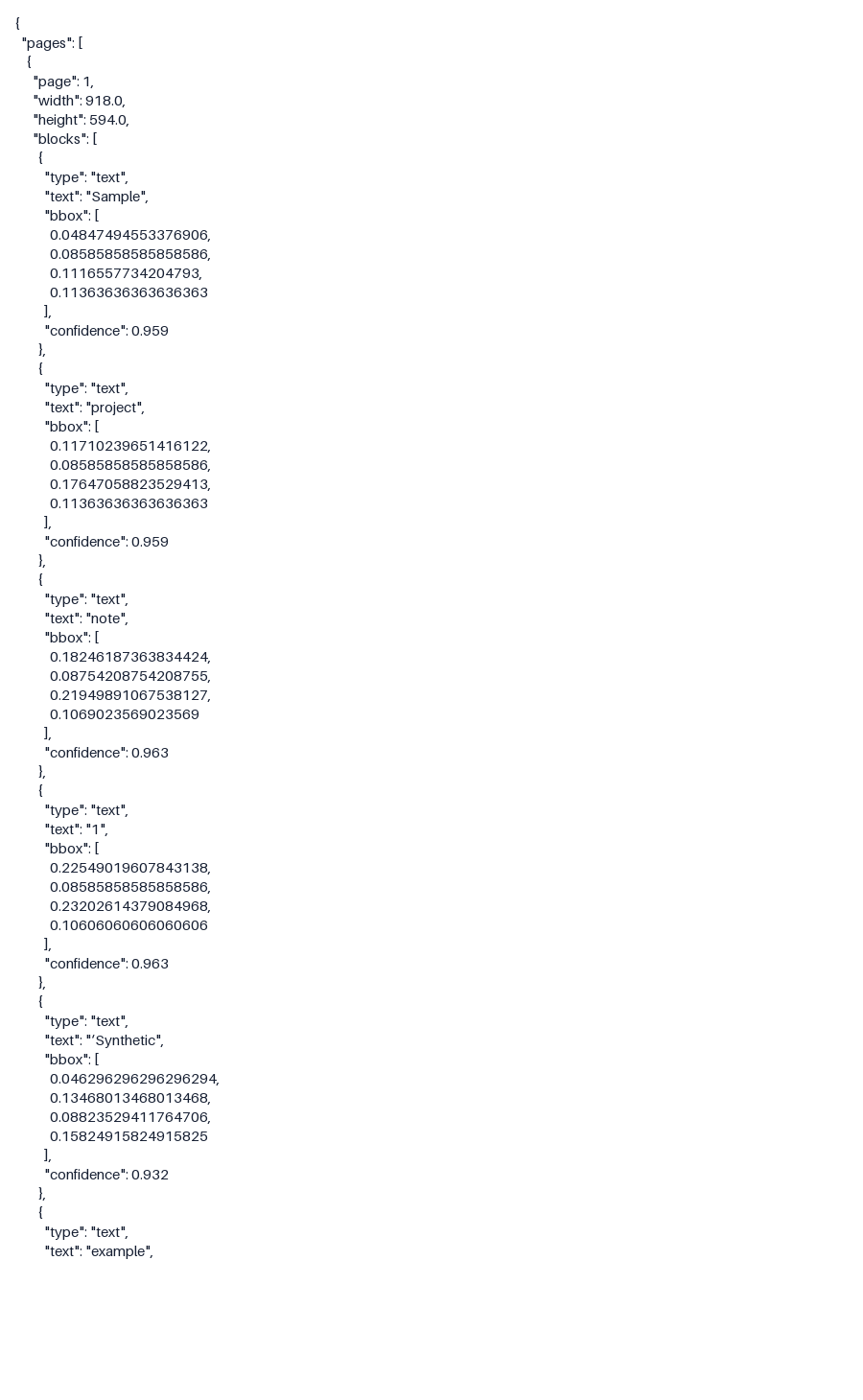
Recognized text and its positions exported as JSON, rather than a formatted document. Check recognition accuracy.
Download example input · Download result
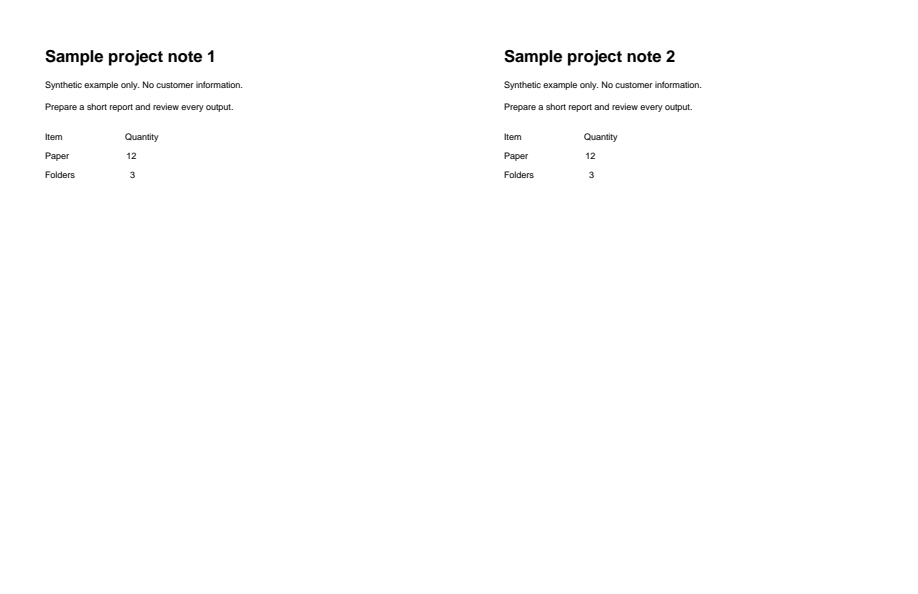
Example details & evidence
Literal JSON excerpt from real OCR output, including recognized tokens and bounding boxes; this is a data output, not a formatted document.
Examples use synthetic files, not customer documents. Generation notes and SHA-256 hashes.
Common questions
Which output should I choose?
Word to rewrite, Excel for tables, Markdown for docs, JSON for software and plain text for search or copying.
Can it read handwriting?
It tries, but results vary a lot. Printed text gives far better results.
Do I need a searchable PDF instead?
If you only want to search the scan and keep it looking the same, use Searchable PDF OCR.
What scan quality works best?
Around 300 DPI, straight pages and even lighting. Blurry phone photos are the hardest case.